Introduction
Managing links can become surprisingly complicated. A creator may have an Instagram profile, YouTube channel, online store, newsletter, portfolio, booking page, and several campaigns to promote. Sharing all of those destinations individually is inconvenient, especially when a social platform gives you only limited space for clickable links.
Linkrify is designed to solve that problem by bringing several link-management and digital marketing functions into one platform. Its features include customizable bio-link pages, shortened URLs, QR codes, file links, vCards, event links, static-site hosting, tracking, and a collection of online utilities.
That makes Linkrify more than a basic “link in bio” service. Depending on your needs, it can function as a central place for organizing links, creating shareable destinations, tracking traffic, and handling several smaller web tasks.
What Is Linkrify?
Linkrify is an all-in-one link management and bio-link platform. The service allows users to create a customizable page containing multiple links and then share one Linkrify URL across social media profiles, websites, email signatures, or other channels.
The platform also provides tools beyond bio pages. Its feature set includes URL shortening, QR codes, file links, digital contact cards, event links, splash pages, analytics, static-site hosting, and various web utilities.
This broad approach can be useful for people who would otherwise need several separate services. Instead of maintaining one tool for short links, another for QR codes, and another for a social bio page, users can manage many of these functions through one account.
Linkrify vs. a Basic Link-in-Bio Page
A traditional link-in-bio service generally focuses on one core task: placing several links on a single public profile page.
Linkrify goes further by combining that function with link shortening and management features. For example, its short-link system supports scheduling, expiration limits, targeting options, password protection, UTM parameters, and deep links according to the platform’s published feature list.
For a creator or small business, that difference can matter. You may want a branded landing page for your audience while also tracking individual campaign links behind the scenes.
Main Linkrify Features
Customizable Bio-Link Pages
The bio-link feature lets you create a central landing page containing multiple destinations. Instead of repeatedly changing the only link available in a social profile, you can direct visitors to one page and place your important destinations there.
Linkrify says its bio pages support custom colors and branding, multiple content components, themes, templates, SEO settings, password protection, and sensitive-content warnings.
A useful setup might include:
Your main website
Online store
Latest article
YouTube channel
Newsletter signup
Contact information
Booking page
Special promotion
The goal is simple: give visitors a clear path to the content that matters most.
URL Shortening
Long URLs can look messy in advertisements, social posts, presentations, or printed materials. Linkrify includes a URL-shortening system designed to create more manageable links.
Its published features include scheduling, expiration limits, country and device targeting, A/B rotation, password protection, deep linking, and advanced URL cloaking.
These features can be particularly useful for marketers running multiple campaigns. Rather than using the same destination everywhere, you can create separate links and analyze their performance.
Link Analytics
Analytics turn a simple link into a source of useful marketing information.
Linkrify states that its analytics can provide information about clicks and traffic, including countries and cities, referrers, UTM information, devices, operating systems, browsers, and languages.
For example, suppose a business promotes the same product through Instagram, an email newsletter, and a QR code. Separate trackable links can help determine which channel generates the most activity.
Analytics should not be treated as a complete picture of customer behavior, but they can provide useful directional information when campaigns are structured correctly.
Other Linkrify Tools Worth Knowing
QR Code Generation
QR codes provide a convenient bridge between offline and online marketing. A restaurant, event organizer, retailer, or freelancer can place a QR code on printed material and send visitors directly to a chosen destination.
Linkrify includes QR-code functionality as part of its broader link-management system.
The most effective QR-code campaigns usually send visitors to a mobile-friendly page rather than a complicated desktop-oriented destination.
File Links
Linkrify also supports file links for creating downloadable destinations. This can be useful when sharing documents, resources, media, or other files without manually sending attachments to every recipient.
For professional use, always review the platform’s current file limits, access controls, and privacy terms before uploading sensitive material.
Digital vCards
A vCard link can work as a digital business card. Instead of giving someone a physical card, you can provide a link that contains contact information in a downloadable format.
This can be useful for freelancers, sales professionals, consultants, event exhibitors, and small-business owners who frequently exchange contact details.
Event Links
Event links can provide downloadable calendar information, giving visitors an easier way to save an appointment or event to their calendar.
For event promotion, this can complement a normal landing page: the page explains the event while the calendar file handles the reminder.
Static Website Hosting
One of Linkrify’s more unusual features is static-site hosting. The platform says users can upload website files, including HTML, CSS, JavaScript, video, and audio files, with analytics and other options available.
This can be useful for simple websites, landing pages, demonstrations, or lightweight projects.
It should not automatically be viewed as a replacement for every traditional web-hosting setup. Larger websites may need features such as databases, server-side applications, advanced deployment workflows, or specialized hosting infrastructure.
Linkrify’s Online Utility Tools
Link management is only part of the platform. Linkrify also lists a large collection of web utilities covering categories such as checkers, text tools, converters, generators, developer tools, image manipulation, and miscellaneous utilities.
Examples include:
DNS lookup
IP lookup
SSL lookup
URL redirect checking
Meta-tag checking
Text conversion
URL extraction
Base64 encoding and decoding
HTML minification
Markdown-to-HTML conversion
Image optimization
PNG-to-JPG conversion
QR-code reading
EXIF reading
Color picking
For someone who regularly works with websites or digital content, having these smaller tools in one location can be convenient.
However, a quick online utility should not automatically replace specialist software when accuracy, security, or large-scale processing is critical.
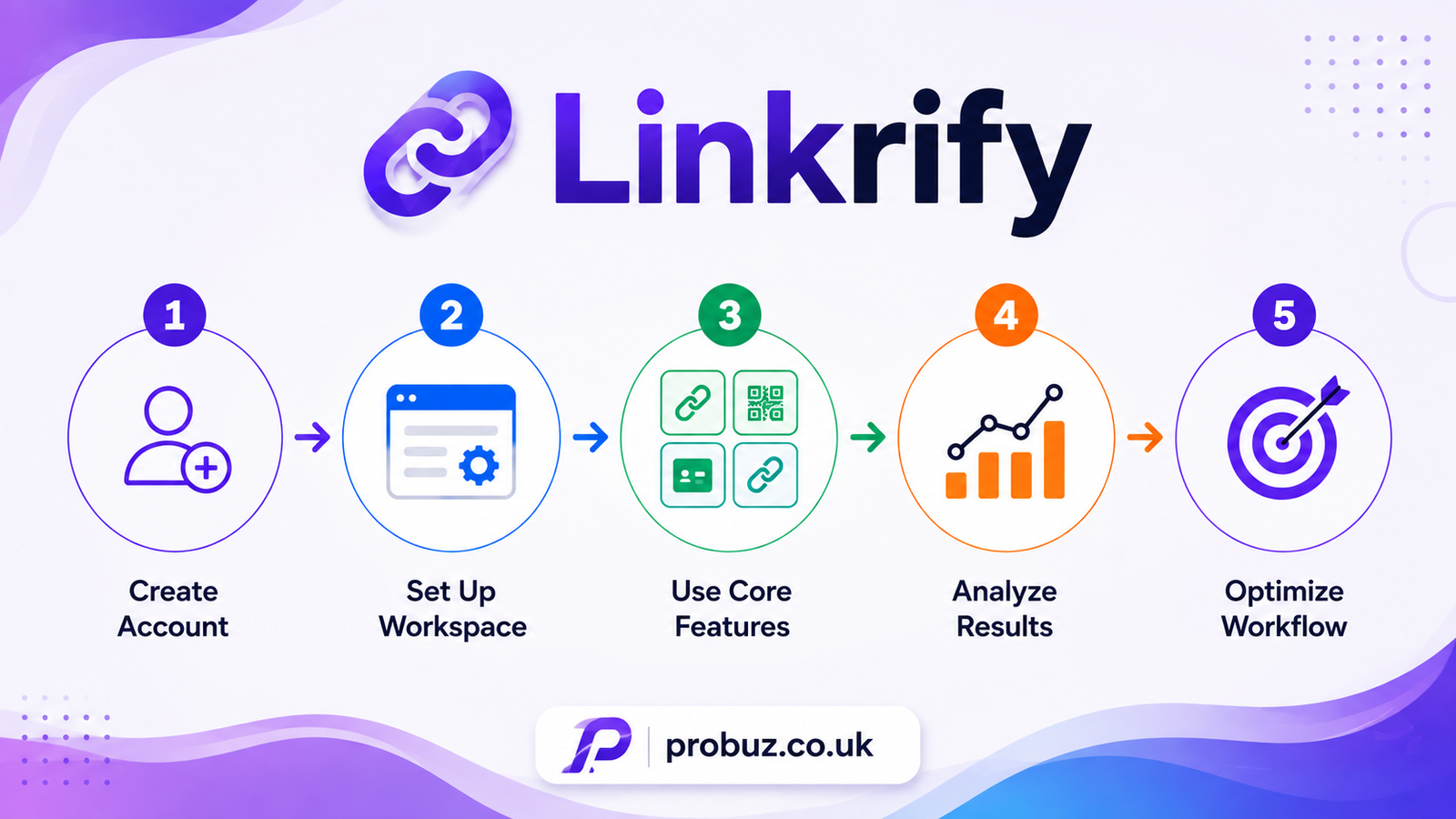
How to Use Linkrify
Getting started is relatively straightforward.
Create an Account
Visit the official Linkrify website and register an account. The registration page asks for a name, email address, and password.
Build Your Bio Page
Add the links you want visitors to see. Prioritize your most important destinations rather than filling the page with every URL you have.
A clean structure could put your primary website first, followed by your store, latest content, social profiles, and contact options.
Customize the Design
Use branding elements that make the page recognizable. Colors, typography, buttons, backgrounds, and layout should support readability rather than compete with the links.
A simple page is often more effective than one overloaded with visual effects.
Create Short Links
For campaigns or individual destinations, create shortened URLs where appropriate. Use descriptive naming conventions so you can identify your links later.
For example, a campaign structure might distinguish between:
summer-sale
newsletter-july
instagram-product
qr-storefront
Clear naming becomes increasingly useful as the number of links grows.
Add Tracking
Use UTM parameters when you need more detailed campaign attribution. Consistent UTM naming makes reports easier to interpret and reduces confusion between similar campaigns.
Review Analytics
After publishing a campaign, examine the available traffic information. Look for patterns rather than reacting to one isolated click count.
Ask practical questions: Which source generated traffic? Which campaign attracted visitors? Are mobile users behaving differently? Are some links receiving little attention?
Is Linkrify Good for SEO?
Linkrify can support certain parts of a broader SEO and marketing workflow, but it should not be confused with a full SEO platform.
Its bio-link pages include SEO-related settings, while the platform also offers tools for tasks such as URL checking, meta-tag inspection, and other website utilities.
However, a link-management service cannot replace a comprehensive SEO strategy.
Search visibility still depends on factors such as useful content, site architecture, technical performance, search intent, internal linking, authority, and the quality of a website’s overall experience.
Use Linkrify as a supporting tool rather than expecting a shortened URL or bio page to produce rankings by itself.
Who Should Use Linkrify?
Content Creators
Creators can use one bio URL to organize their social profiles, videos, products, newsletters, and other content.
Small Businesses
A small business can combine a website, store, contact details, promotions, and social accounts on one page while using tracking links for campaigns.
Freelancers
Freelancers can use a branded page as a compact portfolio and contact hub. A vCard can also make it easier to exchange professional contact information.
Marketers
Marketers may benefit most from the platform’s combination of short URLs, targeting, UTM support, QR codes, and analytics.
Developers and Web Professionals
The utility section can save time on occasional technical tasks such as DNS checks, URL parsing, encoding, HTML conversion, and image processing.
Linkrify Pricing and Free Plan
Linkrify lists a free plan alongside paid options. The published free-plan information includes features such as biolink pages, shortened links, QR-code functionality, a custom domain allowance, and other selected capabilities, although availability and limits vary by feature.
Because pricing and feature limits can change, users should check the current pricing information before choosing a plan.
For someone experimenting with link management, starting with the free option can be a sensible way to determine whether the workflow fits their needs.
What to Consider Before Using Linkrify
Linkrify offers a broad collection of features, but more features are not automatically better for every user.
First, decide what you actually need. If you only require a simple social bio page, a specialized link-in-bio service may be sufficient. If you want short links, tracking, QR codes, file links, and other utilities together, Linkrify’s broader approach becomes more relevant.
Privacy is another consideration. Avoid uploading confidential documents or sensitive information unless you have reviewed the service’s current privacy policy and understand how that information is handled.
Finally, check the current feature limits. Free and paid plans can change, and a feature that is available today may have different restrictions later.
Linkrify Best Practices
Keep Your Bio Page Focused
Place your most valuable links near the top. Too many choices can make visitors less likely to take action.
Use Consistent Branding
Match the page with your website or business identity. Consistency helps visitors recognize that they are in the right place.
Track Campaigns Separately
Do not send every marketing campaign through one generic URL if you need to understand performance. Separate tracking links can make your data much more useful.
Test Links Before Sharing
Open every important link on both desktop and mobile before publishing it. Check redirects, page loading, permissions, and the final destination.
Review Analytics Regularly
Analytics are most useful when they influence decisions. Use the information to improve campaigns rather than collecting numbers without acting on them.
Conclusion
Linkrify is best understood as a multi-purpose link and web utility platform rather than simply another link-in-bio service. Its combination of customizable bio pages, short URLs, analytics, QR codes, file links, vCards, event links, static hosting, and online utilities gives users several ways to organize their digital presence from one platform.
For creators, freelancers, small businesses, and marketers, the biggest advantage is convenience. Instead of managing several small services for everyday link and web tasks, you can bring many of those activities into one workflow.
The right choice ultimately depends on your requirements. If you need only a basic profile page, a simpler service may be enough. If you want link management, tracking, sharing, and additional web utilities in the same ecosystem, Linkrify is worth evaluating. Always check the platform’s current features, pricing, limits, and privacy information before relying on it for an important business workflow.
Visit aslo : probuz.co.uk
What is Linkrify used for?
Linkrify is used for creating bio-link pages, shortening URLs, managing links, generating QR codes, tracking link activity, sharing files, creating digital contact cards, and accessing various online tools.
Is Linkrify free?
Yes. Linkrify offers a free plan, along with paid plans containing additional capabilities and higher limits.
Can Linkrify track clicks?
Yes. Linkrify provides analytics for its links, including information such as traffic sources, locations, devices, browsers, and other available metrics.
Can I create a Linkrify bio page for social media?
Yes. The platform is designed to let users create customizable bio pages containing multiple links and then share the page through social platforms or other channels.
Does Linkrify provide a URL shortener?
Yes. Its short-link functionality includes features such as scheduling, expiration controls, targeting, password protection, and other link-management options.
Is Linkrify an SEO tool?
Partly. Linkrify provides several SEO-related and website-analysis utilities, but it is better understood as a broader link-management and online-tools platform rather than a replacement for specialist SEO suites.
Can Linkrify host websites?
The platform says it supports hosting static website files, including HTML, CSS, JavaScript, video, and audio.